




NewMinnie 0.2: bring your history with you

The voice layer for your Mac

Dictation, commands and meeting notes.
Audio never leaves your Mac.

Download for free

Available for macOS 14 or later on Apple silicon

Effortless words, typed instantly.

Uses your Mac's microphone, so nothing joins your call

Private by default, transcribed on your Mac

Works in every app you can type in

Just say it

Types wherever your cursor is

  • Email
  • Notes
  • Chat
  • Docs
  • Browser
  • Terminal
  • Code
  • Calendar
  • Tasks
  • Slides
  • Sheets
  • Search

Minnie helps you while you write, while you work and while you meet.

While you write

Write without typing

Hold fn, talk, let go. The words land at your cursor in any app, with your punctuation, your snippets and the spellings you taught it.

Weekly note

TodayDictation

Hold fn and talk...

Inserted at the cursor

Running ten minutes late, start without me.

Thanks for the notes. I will send the revised draft by Friday.

Pick up milk, eggs and coffee.

While you work

Run your Mac by voice

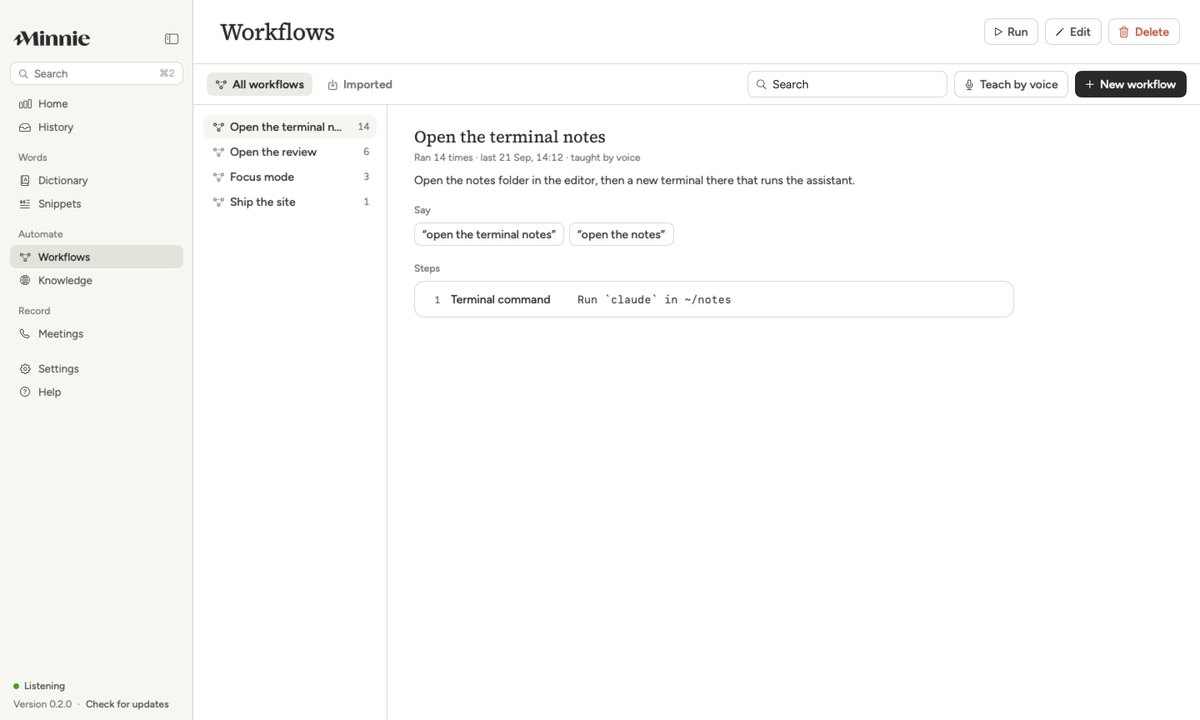
Say "Minnie, open Notes", or a routine you taught her once. She shows the plan, and anything that sends, deletes or pays asks first.

Minnie's Workflows page with a routine taught by voice

While you meet

Meeting notes, kept on your Mac

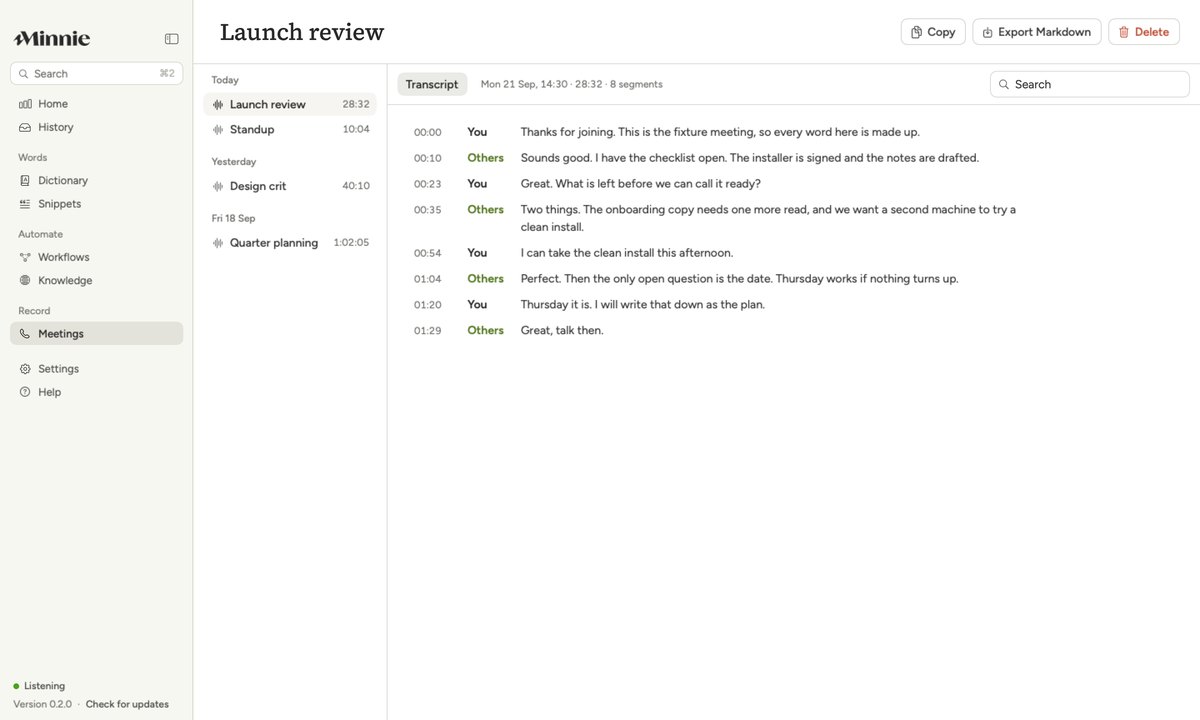
Your microphone and the Mac's own audio, transcribed on the Mac into one timeline. You start it; Minnie never records on its own.

Launch review

Today2

00:00Thanks for joining. The checklist is open.

00:35The onboarding copy needs one more read.

01:20Thursday it is. I will write that down.

Minnie History

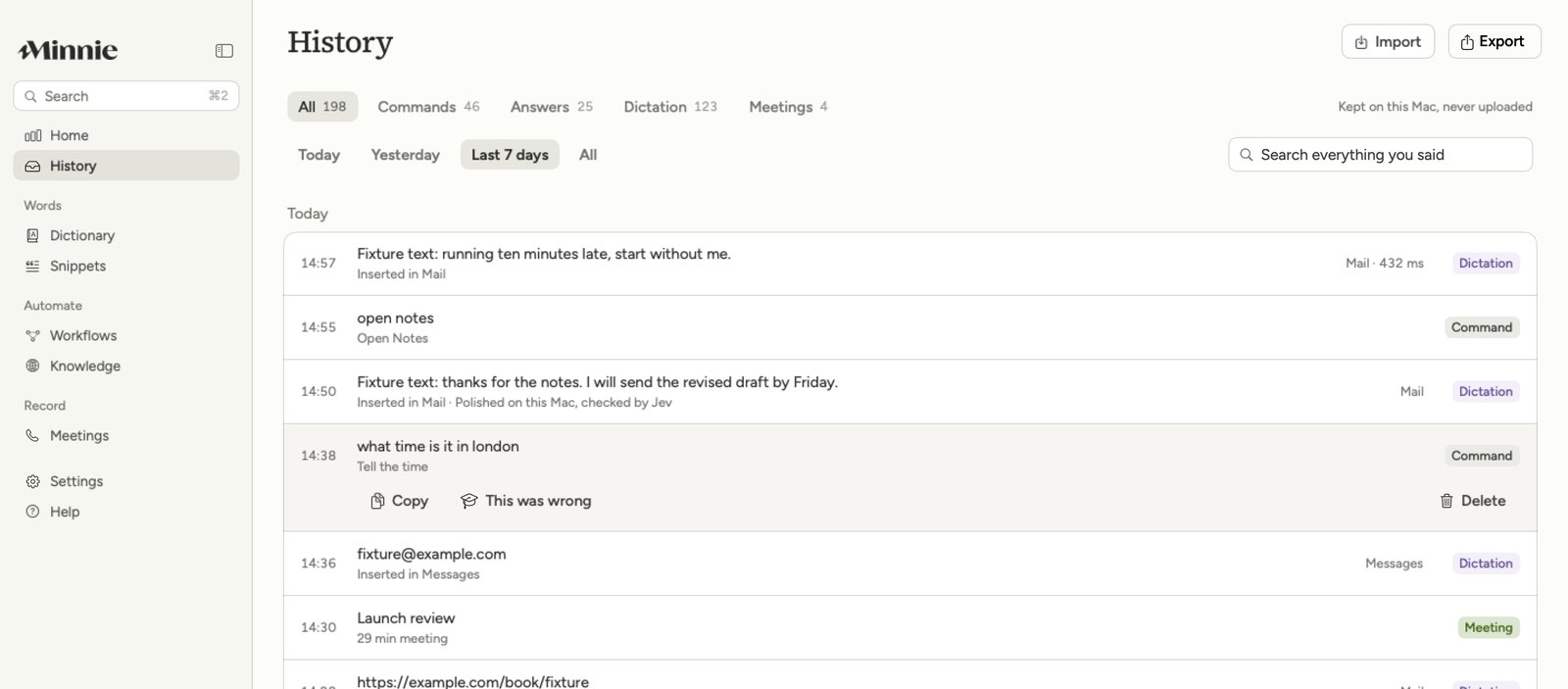
Every word you said, kept

revised draft by Friday

Search everything you said

Built for people who talk faster than they type

Our promise

Your audio is transcribed on your Mac and never sent anywhere.
MinnieOn every plan

Our promise

Anything that sends, deletes or pays asks you first, every time.
MinnieOn every plan

Features

Works everywhere you do, how you do

Download for free

Humans in the room, not bots

Minnie never joins your call. It listens through your own Mac while you stay present.

A meeting transcript in Minnie
Minnie's dictation pill while it transcribes

Works in every app you type in

Email, chat, docs, a terminal, a code editor: if there is a cursor, your words land there.

fnAa>_

Private by default

Audio is transcribed on your Mac and never uploaded. Only a command's words go out, to pick the action.

Minnie's History page: commands, dictation and meetings in one list

On your iPhone too

A companion iPhone app for dictation and your History is on its way, included with Pro.

See what Pro includes
Minnie's app icon

9:41

Coffee with Sam

Today 10:30

Dictated

Ask about the new role and the move

Send the draft by Friday

Lives in your menu bar

One small flower at the top of your screen. Hold fn anywhere to talk, or say her name to give a command.

Minnie Workflows

Teach it a routine once

Download for free

No more doing the same ten clicks every morning.

Say the routine in plain words. Minnie picks each step from a fixed list, shows you the plan, saves it by name and runs it the same way every time.

Free to start. Pro when you need it.

Basic is free: dictation, commands and 30 days of History. Pro adds meetings, workflows and unlimited History.